Are you wondering how to create a single view using multiple runtimes, and how each implementation has its own runtime properties?
The way to do this is quite simple using FrameworX. First, create the display that will receive the parameters; in this example, it’s called DynamicDisplay.
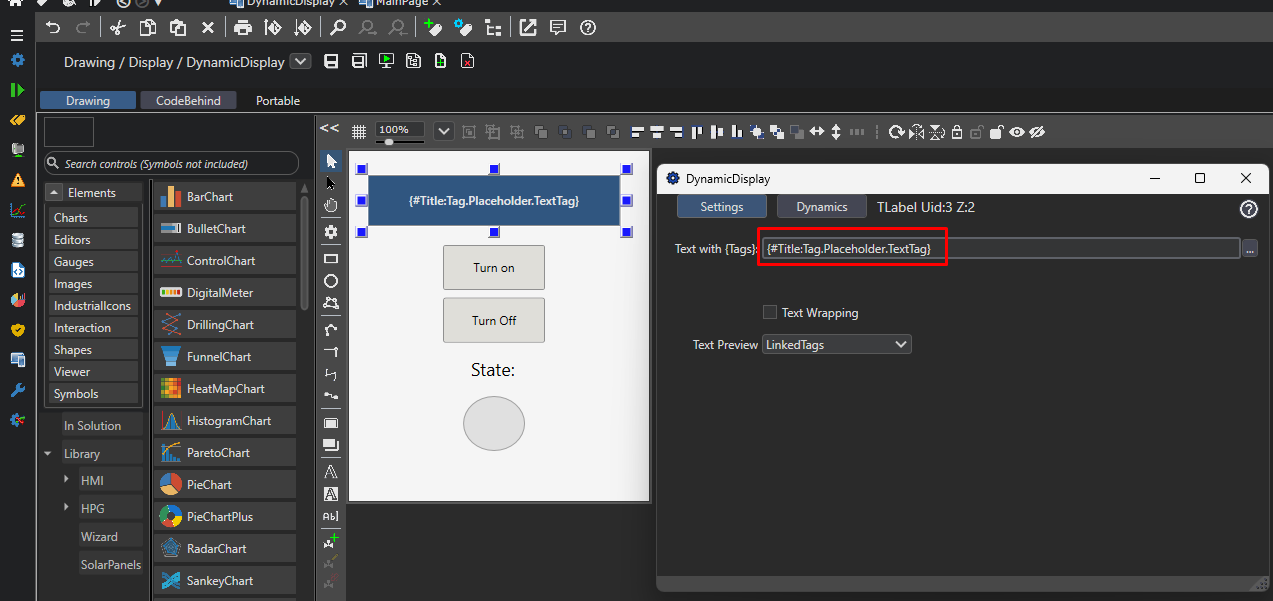
In the image below, you can see how to configure the components of this display.
The label, being a text field, needs curly brackets to accept a tag.
The sintaxe is {#< NameOfDynamicField >:(< PlaceHolderTag >)}.
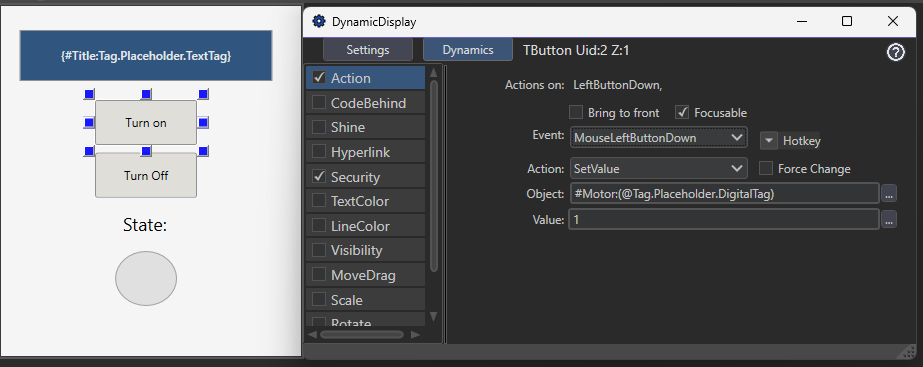
The configuration of both buttons are the same, the only difference from the label is that is not necessary to use curl brackets.
And to finish the child display configurations is as follow:
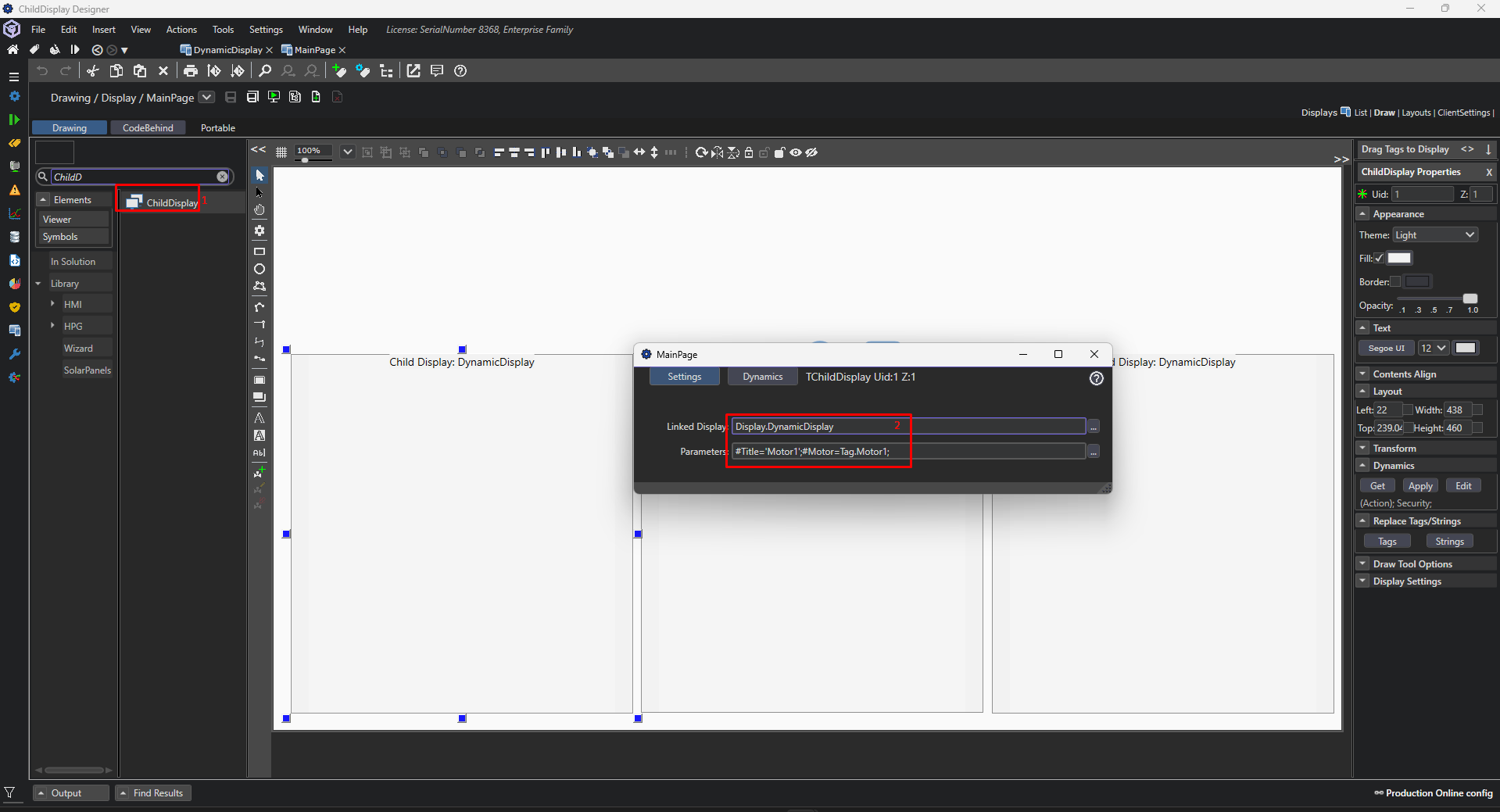
The display name is set in the first field:
Display.DynamicDisplay
The parameters in the second:
#Title=‘Motor1’;#Motor=Tag.Motor1;
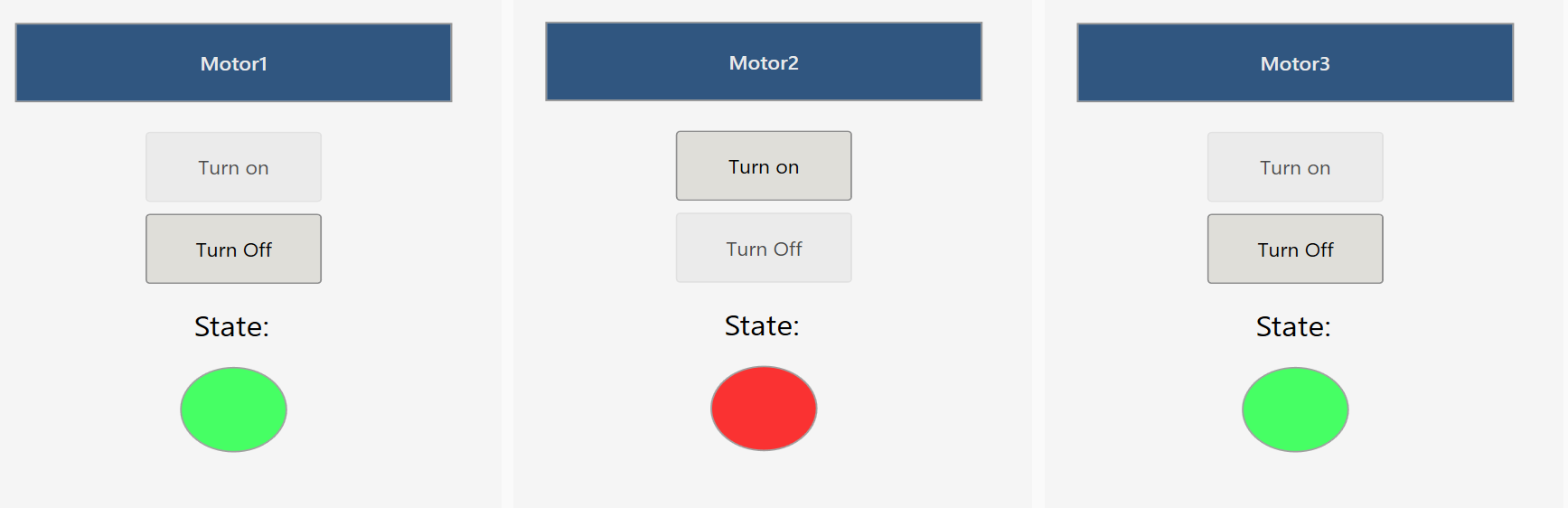
End result:
More information about this component can be found at the link below:
ChildDisplay Control Reference - FrameworX 10.1 - Tatsoft LLC